
BookKind is on Google Play
BookKind is out on Google Play. It started as an app I built for Kirsten, who reads across hard copy, Kindle and Audible and wanted one shelf for all three. From today, anyone with an Android phone can have it too.
The iPhone and iPad app is with Apple for review. We'll write another note the day it's approved.
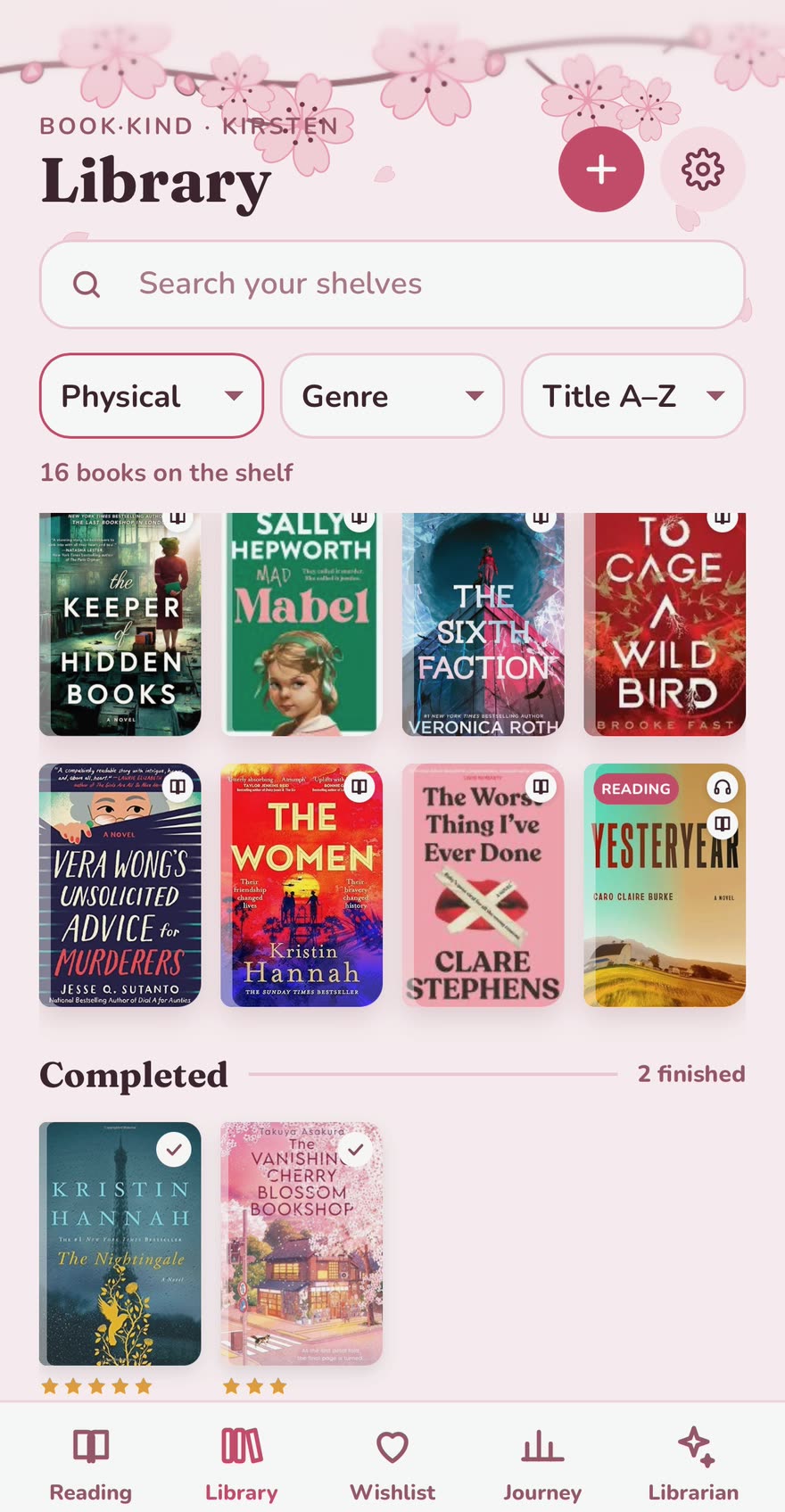
What's in it
- One library for every format you own: hard copy, ebook and audiobook, with a badge for each.
- Currently reading by page or percent, a wishlist in the order you want to buy, and a journey of everything you've finished, with your ratings and dates.
- Reading goals for the month and the year.
- Colour and graphic themes to suit your reading mood.
- The Librarian: an AI that has seen your shelves, suggests your next read from the books you already own, and runs a private Book Club chat for each book you're reading without spoiling what's ahead.
What it costs
BookKind is free for up to ten books you own, for as long as you like. Books on your wishlist don't count.
- Five-day trial. Everything, once, starting when you ask for it. Nothing is charged when it ends.
- The Shelf, $5.99 once. Your whole library with no limit, importing from Goodreads, and a family circle to share wishlists.
- The Librarian, $4.99 a month or $49.99 a year. Everything in the Shelf, plus the Librarian, Book Club chats, adding a book by photographing its cover, and the premium theme packs.
- Simple graphics theme pack, $1.99 once. Six extra themes, if you'd like them without the Librarian.
Prices are in Australian dollars. Google Play shows the price in your own currency.
Your books stay yours
You can export your library or delete your account from Settings at any time. The Librarian only uses AI once you've agreed to it in the app, and you can use BookKind without it. The privacy policy has the detail.
Leave your email on the BookKind page and we'll send one message the day it's on the App Store.