
Set up for AI
1:1 setup and coaching for solo operators, owners and leaders.
We set up AI around the way you actually work, in your own accounts. Then I coach you through using it until it's a habit, not a project. You keep a one-page guide.
Practical AI help for businesses and the people who run them: owners, leaders and anyone working for themselves, using the tools you already pay for, without leaving you another system to look after.
Set up for AI $500 · Opportunity Sprint $2,500 · founding prices · taking bookings for January 2027 onwards
Small, useful tools for families running on limited energy. AI does one clear job well, with nothing for someone at home to maintain.
StudyKind, BookKind and HomeKind, built by one family in Queensland. No ads, no data sold.
Kris WattWattKind AIYou work for yourself, or you run a business. You're already paying for Microsoft 365 or Google Workspace, maybe Claude or ChatGPT as well, and you suspect you're using a fraction of it.
Or you lead a team or a function, in an organisation of any size. You're expected to have a view on AI, and you'd rather build real understanding privately than take a vendor's word for it.
You don't want to become the AI person. You want the work to get lighter.
1:1 setup and coaching for solo operators, owners and leaders.
We set up AI around the way you actually work, in your own accounts. Then I coach you through using it until it's a habit, not a project. You keep a one-page guide.
Two days to find where AI and automation will help, and where they won't.
I look at how work moves through your organisation and the tools you already pay for. You get a short, plain-English brief you can act on, with or without me.
I've spent my career helping Queenslanders, the past 10 years in automation and AI inside large Australian organisations. I know what these tools can do, and how often they're bought and then left half-used.
Now I work with businesses and the people who run them: owners, leaders and anyone working for themselves, starting with the tools you already pay for and leaving nothing new to maintain.
Short notes on getting more from the tools you already pay for.
The AI assistant your people already have can remove real barriers at work. Start with what is hard, not with the tool.
Read the noteMost small businesses already pay for more AI than they use. Here's where I look first.
Read the noteThe questions I ask before setting up any AI or automation, so nothing new lands on your plate.
Read the noteThe Discovery Assistant asks a few questions about what's getting in your way. It takes ten to fifteen minutes and you leave with a written summary you can keep, whether or not we work together.
I read every one and reply myself. If I'm not the right help, I'll say so.
Most family apps assume someone has time to set them up, keep them updated and remind everyone to use them. In our house, that someone was already the most exhausted person in the room.
So our rule is simple: a WattKind tool has to be useful on the messy day, not just the organised one. If it takes more than a photo and a couple of taps to start, we haven't finished designing it.
StudyKind
Study support that meets you where you are.
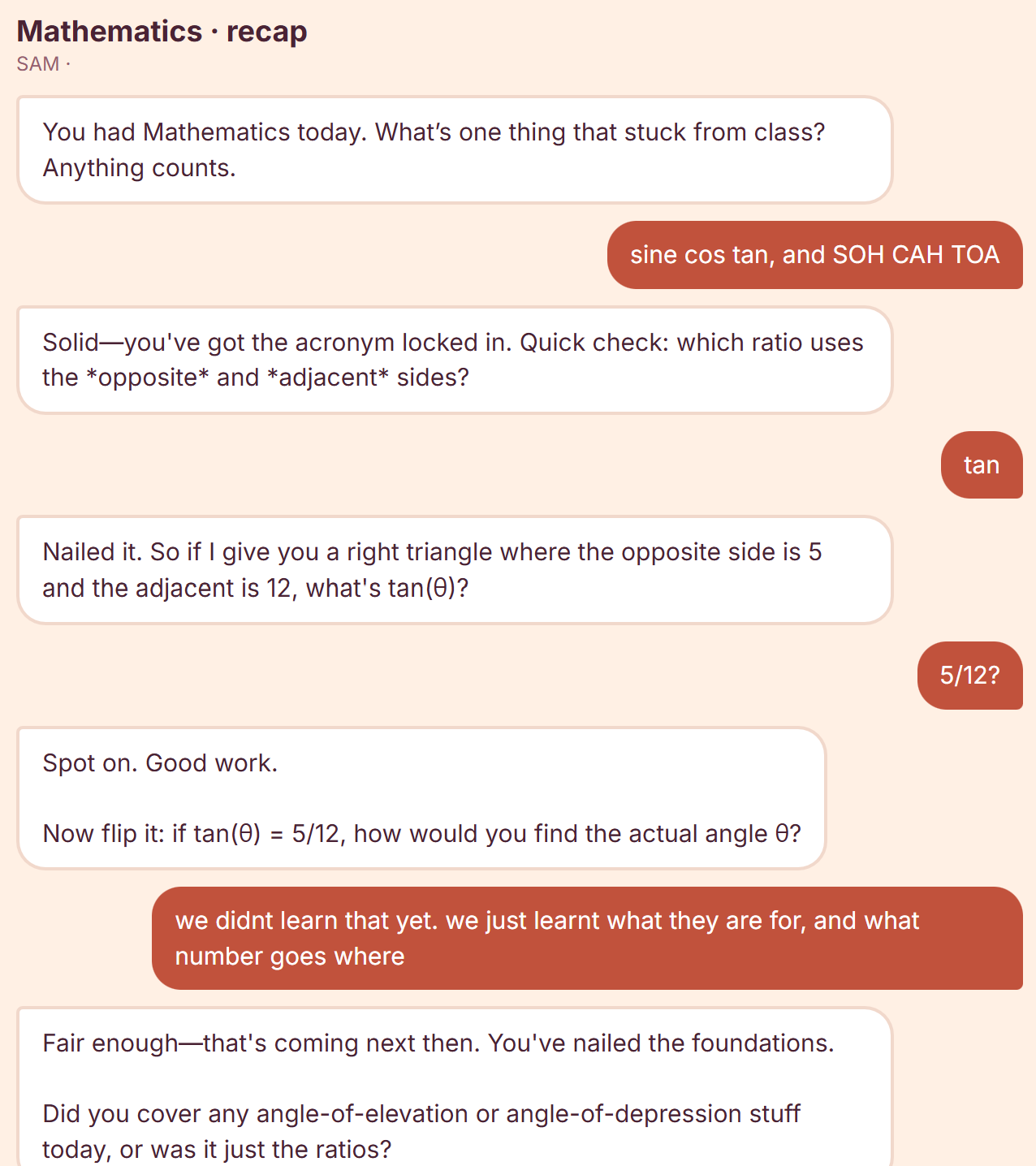
Photograph the school timetable and StudyKind turns it into short quizzes, recaps and focus sessions — 5 to 15 minutes, sized for the energy actually available that night. Parents manage the account; kids never talk to an unsupervised chatbot.
Free for every family for the rest of 2026. No invitation needed.
A real session from StudyKind, unedited.
BookKind
A personal librarian that knows your shelf.
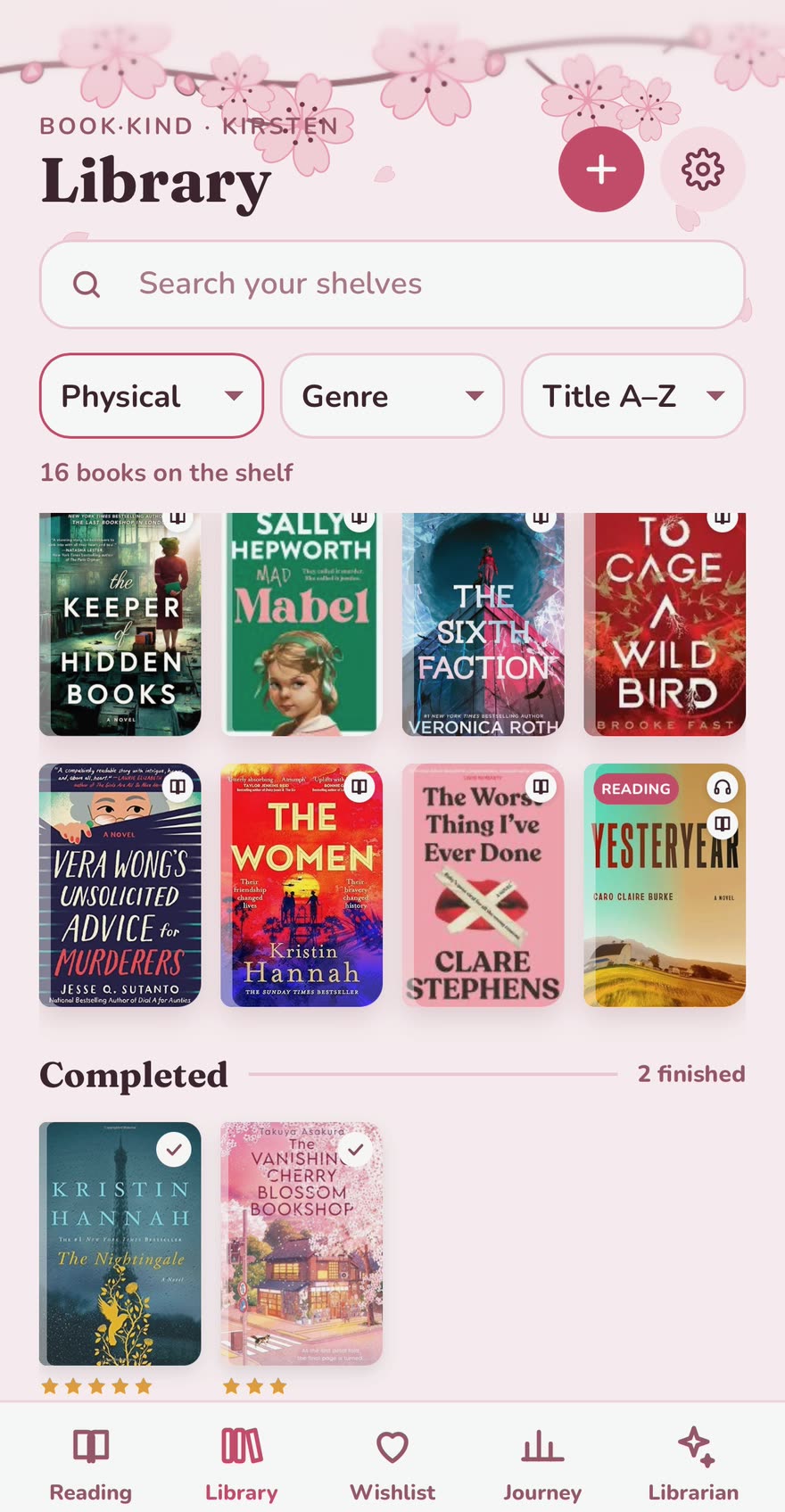
BookKind keeps track of the books you own in every format, the ones you're reading now, a wishlist for what to buy next and everything you've finished. Ask the Librarian what to read next and it suggests something from your own shelf, or something new for the wishlist.
The Library, on the Cherry Blossom theme.
HomeKind
Home support that keeps the paperwork.
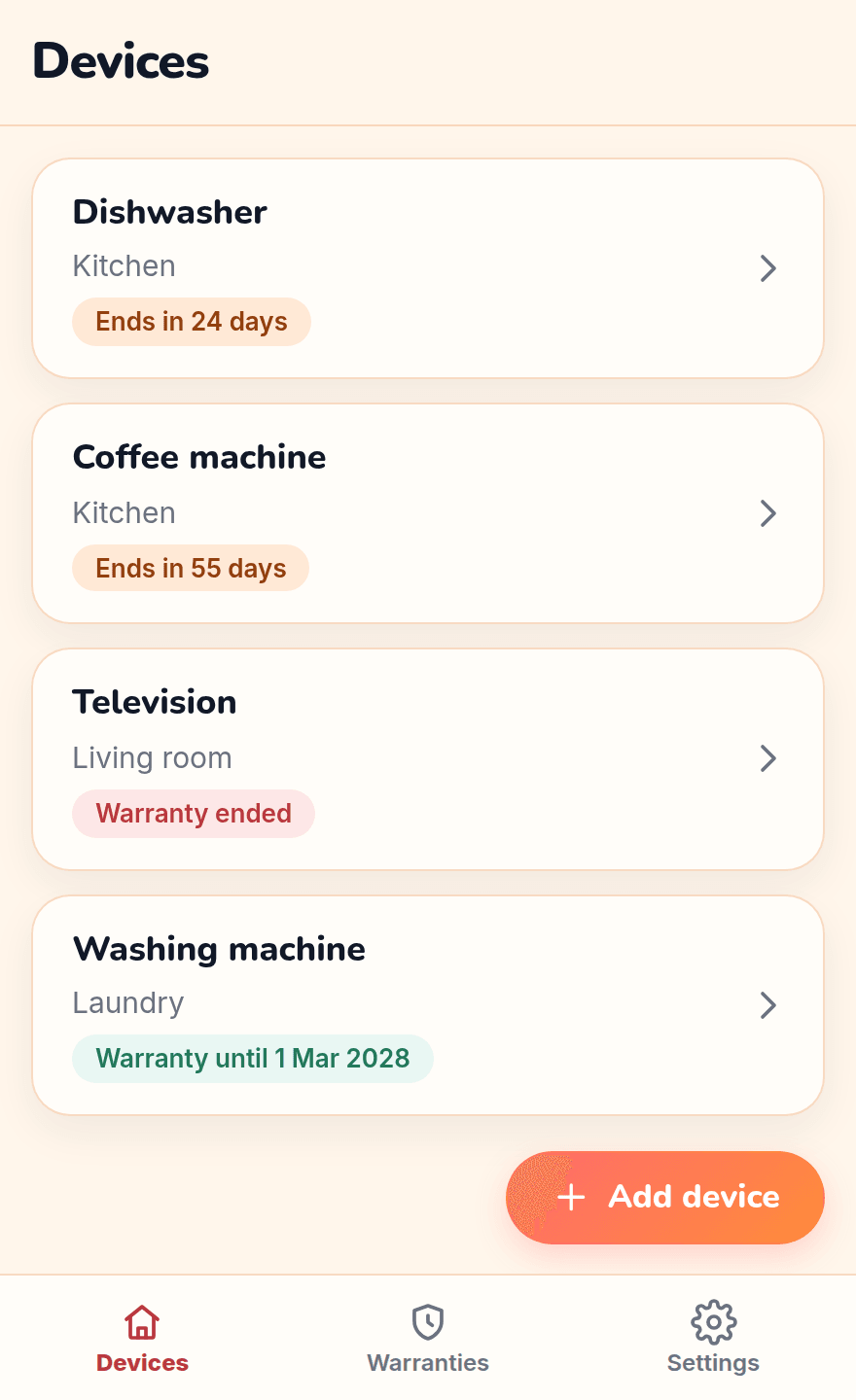
HomeKind puts each device in the house on your phone, with its manual and receipt attached, and shows which warranties are ending soon. No account, no cloud and nothing to set up. Free, for iPhone and Android.
The device list, warranties ending soon first.
Notes on what we're building at home, including the things that aren't ready yet.

The librarian we built for Kirsten is out for Android, free for up to ten books. iPhone is next.
Read the note
Any family can join free for the rest of Term 4. Here's what to expect before the full launch.
Read the note
What BookKind does at home today, and what's missing before anyone else can use it.
Read the noteFive book-and-blossom options for the BookKind in our house, and the one Kirsten chose.
Read the note
The same manuals, receipts and warranty dates, now on Google Play as well as the App Store.
Read the noteWhy we ask a few questions before building anything, and how you can try it.
Read the noteSwipe or scroll sideways for more.
The first thing StudyKind ever did was read our own kid's timetable — because Sunday-night "what's due this week?" was turning into an argument in our house, every week.
Some days there's energy for a full study session. Some days a quick chat about what was learned is all the effort available. Both count — that's the whole idea, and it applies to everything we make.
Kris has spent his career helping Queenslanders, the past 10 years in automation and AI inside large Australian organisations. Now he works with businesses, teams and the people who run them, using the tools they already pay for.